a quiet dusk for your desktop
Fedora Twilight
A soft purple, blue and pink GNOME setup. It installs with one command, survives updates, and can be recoloured from your own wallpaper.
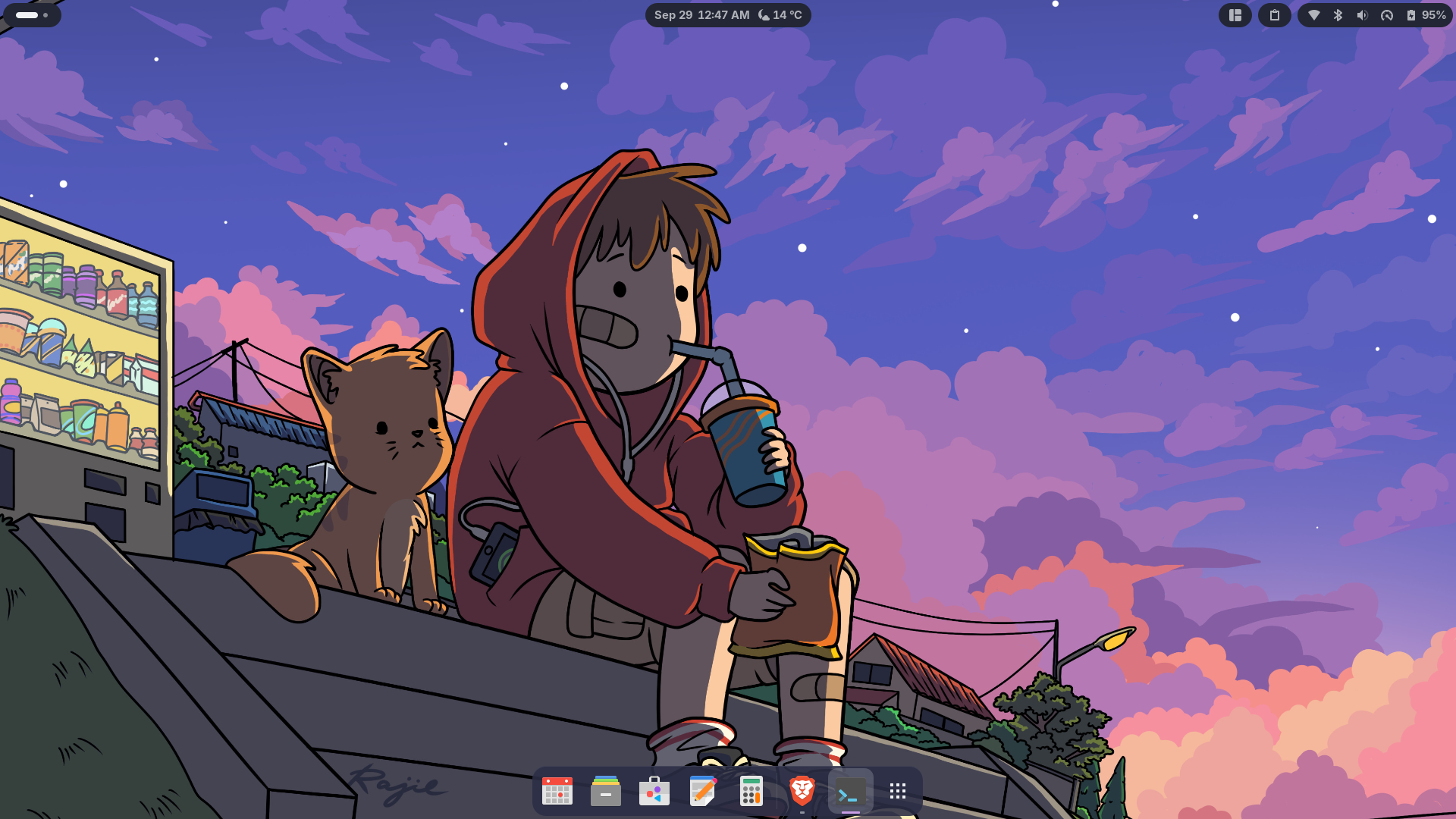
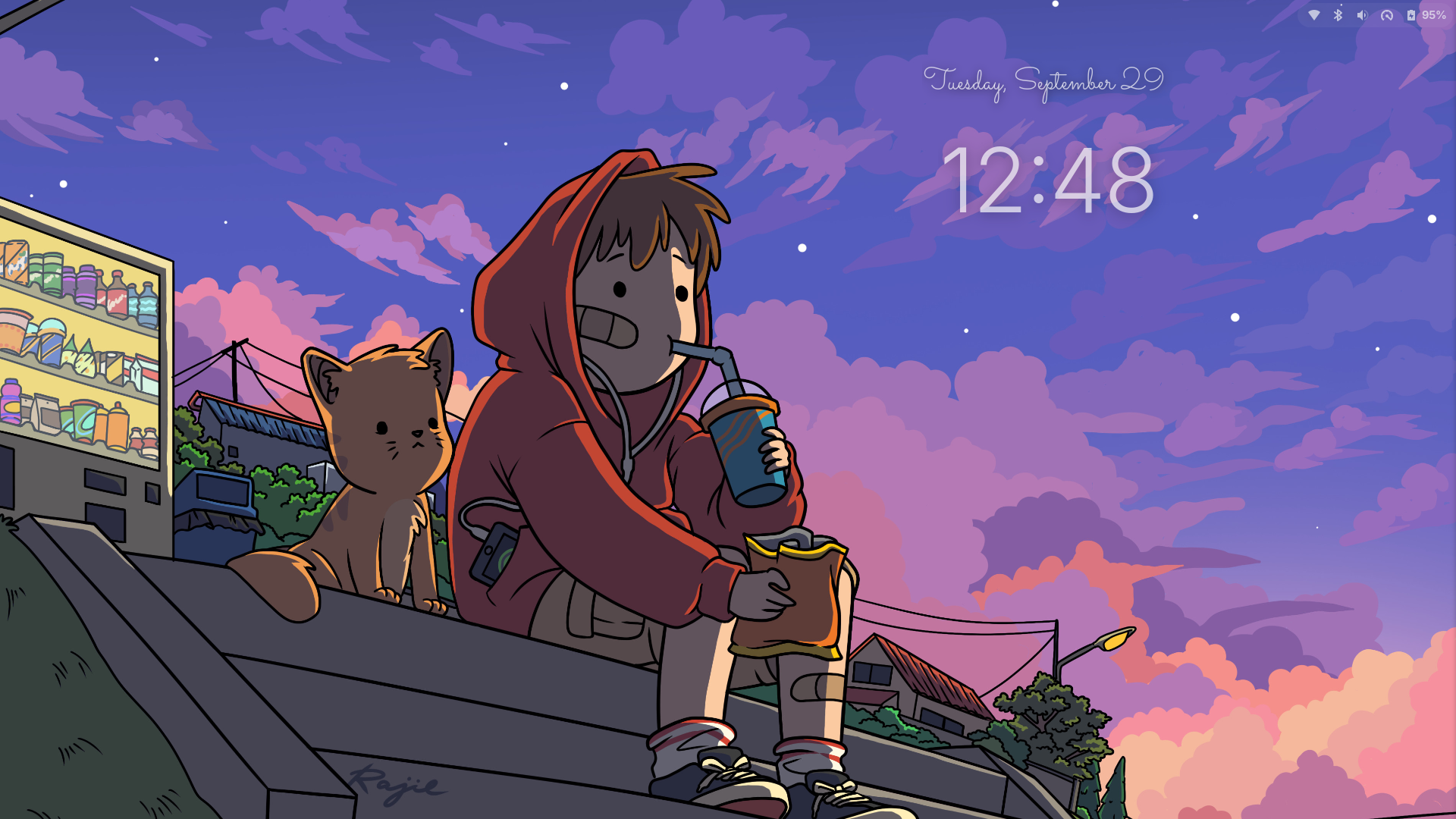
Features
- Top bar: transparent, with floating pill indicators
- Window buttons: coloured circles in GTK, Qt and LibreOffice apps
- Lock and login screen: large clock with a handwritten date
- Icons, cursor, fonts and sounds that match
- Wallpaper colours: the whole palette from any image
- Self-repair: puts back anything a system update removes
Install
Fedora Workstation 44 with GNOME 50. Run in a terminal, then log out and back in.
sudo dnf install git python3 python3-pillow rsync
git clone https://github.com/ai-vaibhavv/fedora-twilight
cd fedora-twilight
./install.sh
Usage
# Match the colours to your wallpaper
./install.sh --wallpaper ~/Pictures/wall.jpg --auto-palette

# Preview without changing anything
./install.sh --dry-run

# Run only some parts
./install.sh --only gtk,qt

# Check that everything works
./install.sh --check
More options and details are in the README.